Case StudiesCase study
Multistream
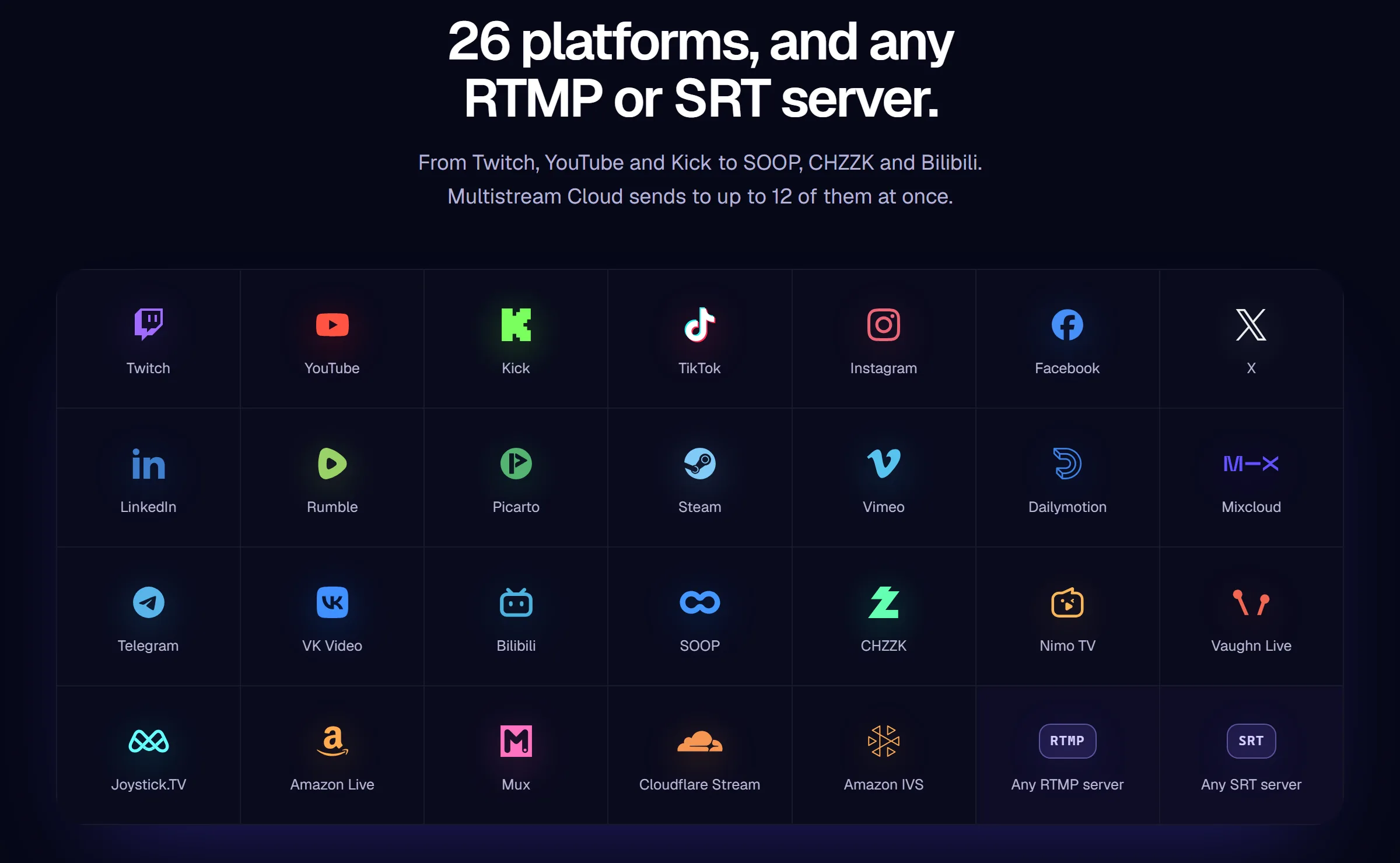
Multistream lets a streamer go live on Twitch, YouTube, Kick, TikTok, Instagram and 21 more platforms from one stream in OBS, and read every chat in one window. I founded it, and I designed and built all of it: the product and its pricing, the cloud that sends the stream, the Windows app, the brand and the site. It is live at multistream.gg.

The problem
Streaming to more than one platform means a separate chat, alert service and bot for each, and the tools that send one stream everywhere charge the most for the feature beginners need first.
What I did
Founded the product, then designed and built it end to end: a free Windows app for everything around the stream, and a paid cloud that sends one stream from OBS to every platform and keeps them live if OBS drops.
What it came to
- 26Platforms, plus any RTMP or SRT server
- 1Upload from OBS, whatever the platform count
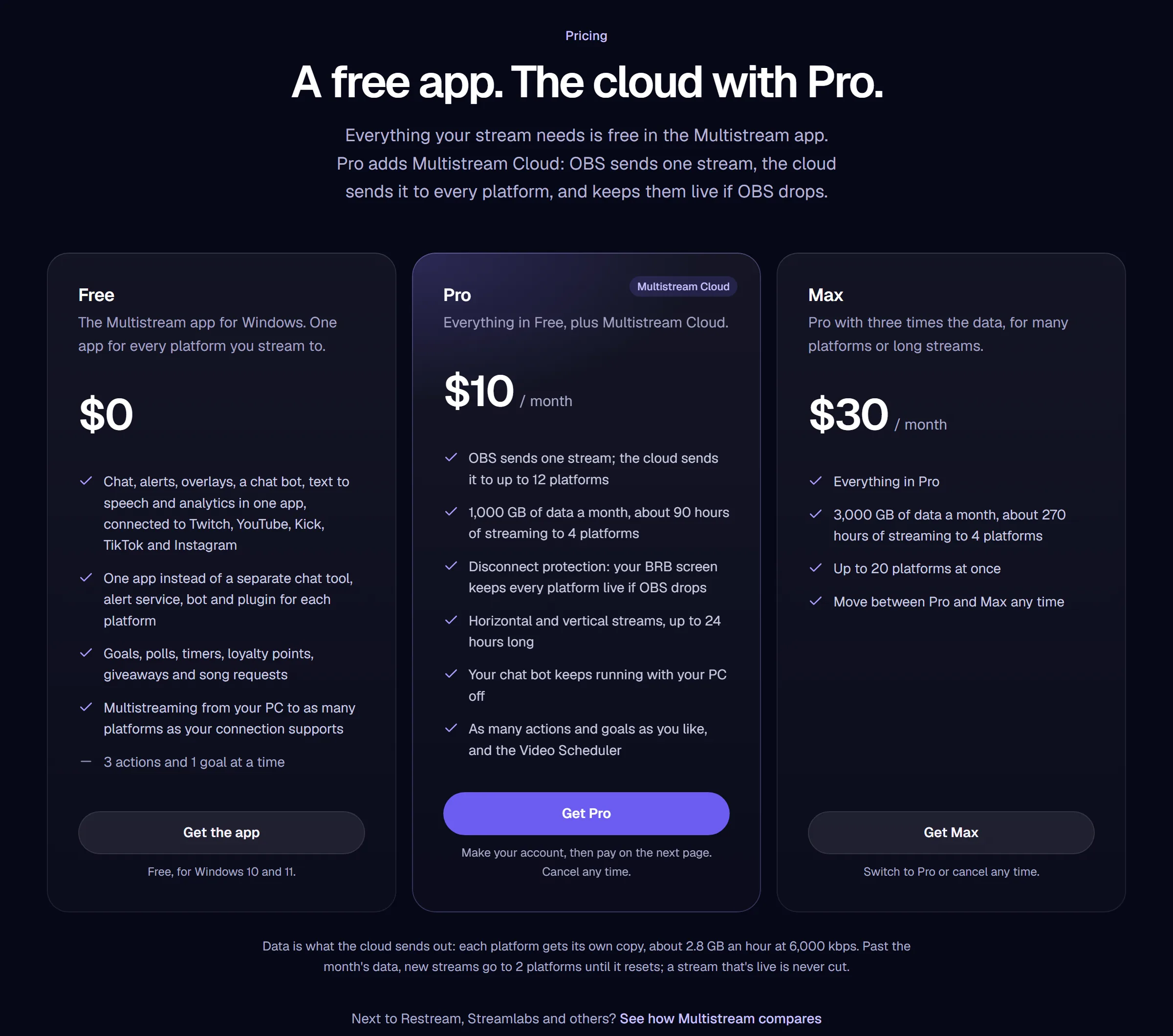
- $10A month for the cloud. The app is free
01 / The problem
Every platform you add is another set of tools.
Viewers are split across Twitch, YouTube, Kick, TikTok and Instagram, so a streamer who wants to grow goes live on several at once. Each platform brings its own chat, its own alerts, its own bot and its own dashboard. A streamer ends up with five browser tabs open beside OBS, reading chat in one and missing it in the others.
Sending the stream is its own problem. Uploading a copy to each platform from home multiplies the bandwidth, and the services that do it in the cloud put the useful parts, more platforms and staying live when the connection drops, on their most expensive plans.
I stream myself. Multistream started in April 2026 as a chat overlay for my own stream and grew, one missing piece at a time, into the product.
02 / My role
Founder, from the first overlay to launch.
There is no team behind this page. I own the product, every decision on it, and the code.
Mine
- Product definition, the plans and the price
- The brand and the Glass Pills design system
- The Windows app: chat, alerts, overlays, the bot, setup
- Multistream Cloud: the relay, accounts, billing and limits
- The site, its comparison pages and its guides
What I made
- A Windows app with a guided first-run setup and an installer
- A cloud relay to 26 platforms, with disconnect protection
- Free OBS tools for vertical streams and Twitch
- The multistream.gg site, dashboard and studio
03 / Goals
What solved would mean.
Three things. The results further down are set against them.
Goal 1
One place for the whole streamEvery chat, alert, overlay and bot in one app, whichever platforms someone streams to.Goal 2
Adding a platform costs nothing extraNot more bandwidth from home, not lower quality, and not a pricier plan to get past two.Goal 3
A beginner can set it upSomeone new to OBS goes live everywhere without reading a manual, and a bad connection doesn't end the stream.
04 / Decisions
Five decisions, and what they cost.
1. Free where it costs me nothing, paid where it does.
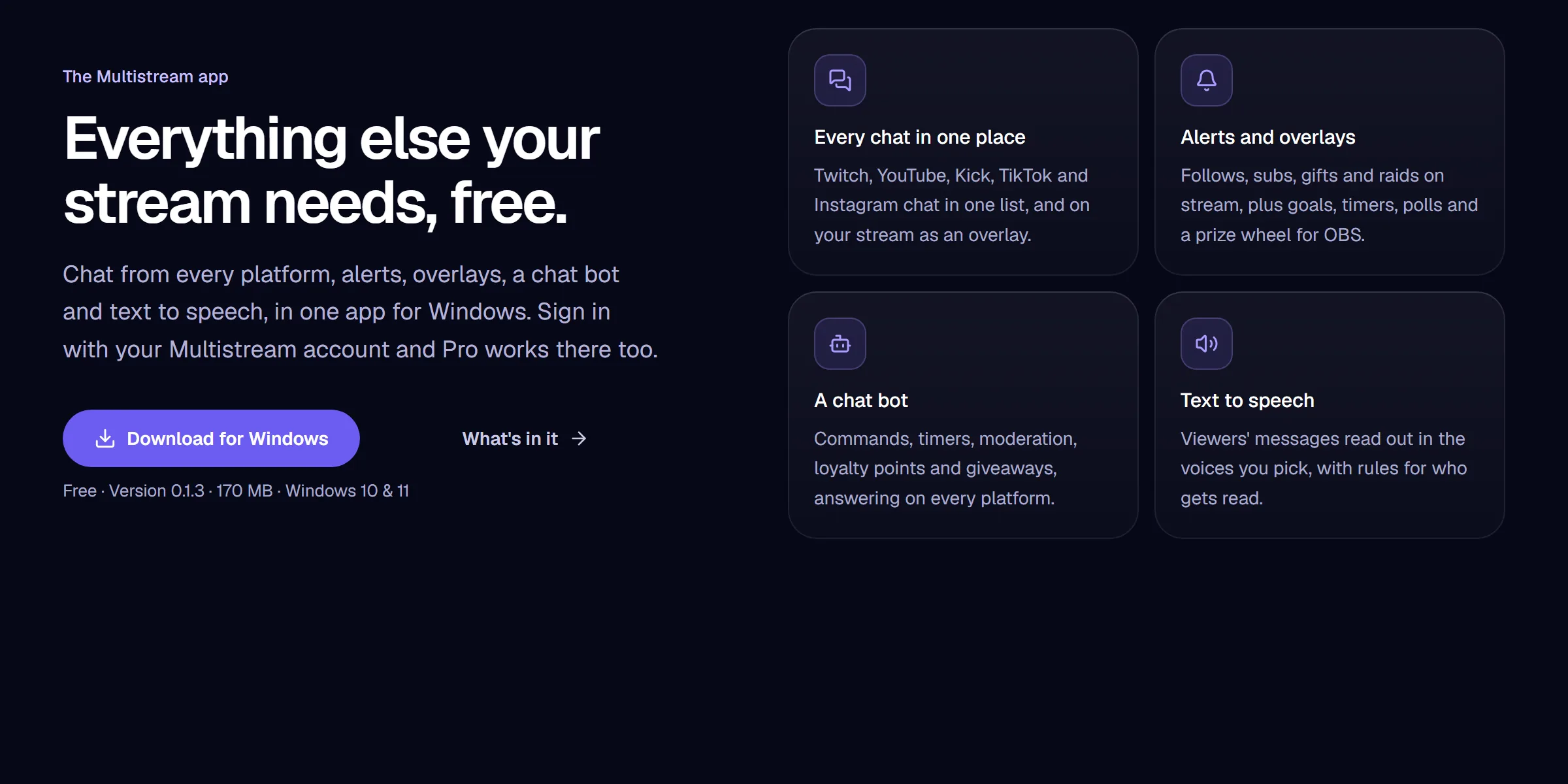
Chat, alerts, overlays, the bot and text to speech run on the streamer's own PC, so they are free, without a trial or a watermark. The cloud carries real bandwidth for every platform, so that is what Pro pays for. Even the free app can multistream from the PC, to as many platforms as the connection can carry.
- Gave up
- Charging for the features others charge for.
- Got
- A reason to install with no card, and a price that matches what the cloud actually costs to run.
2. One upload, and the video left alone.
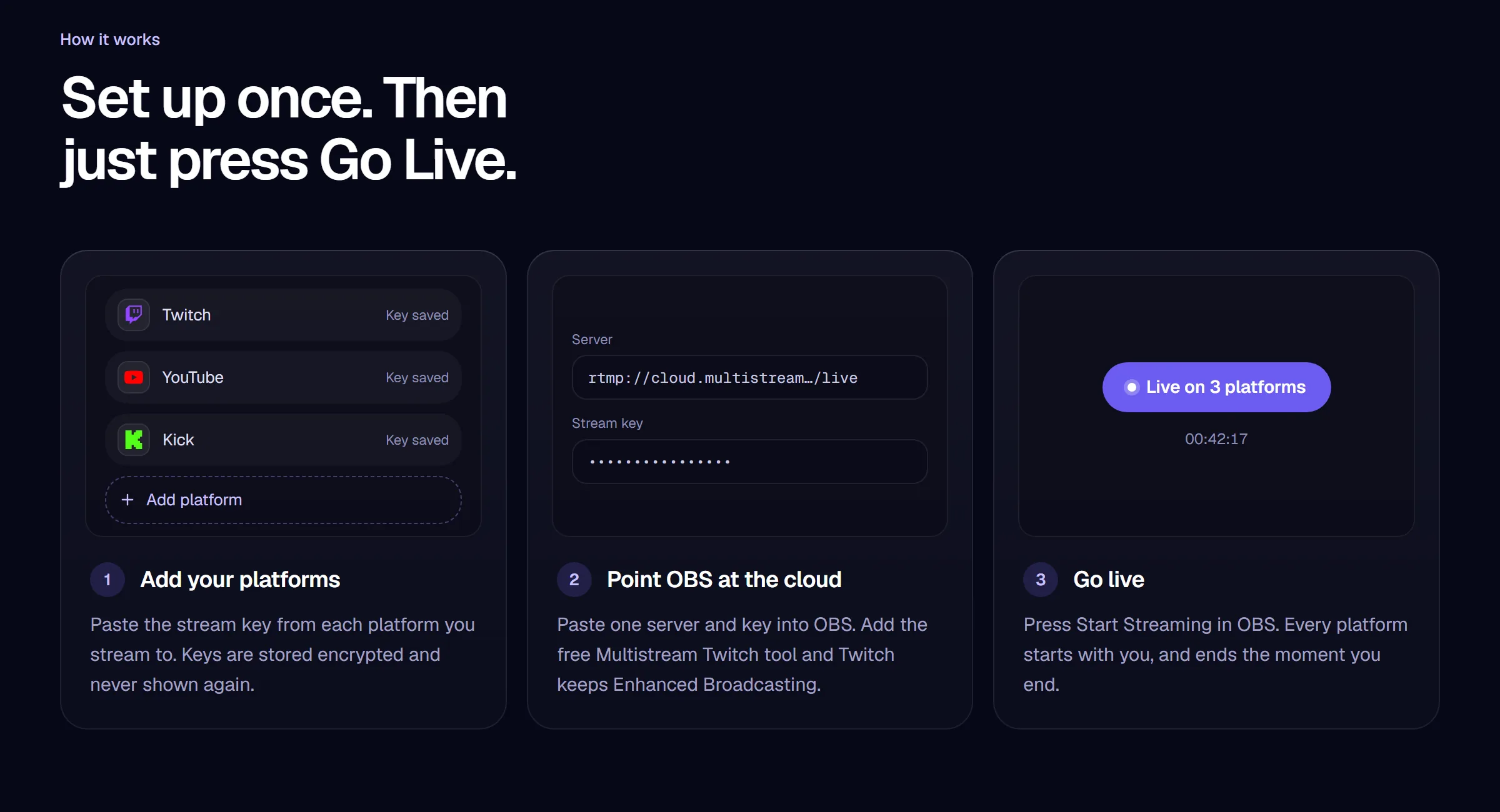
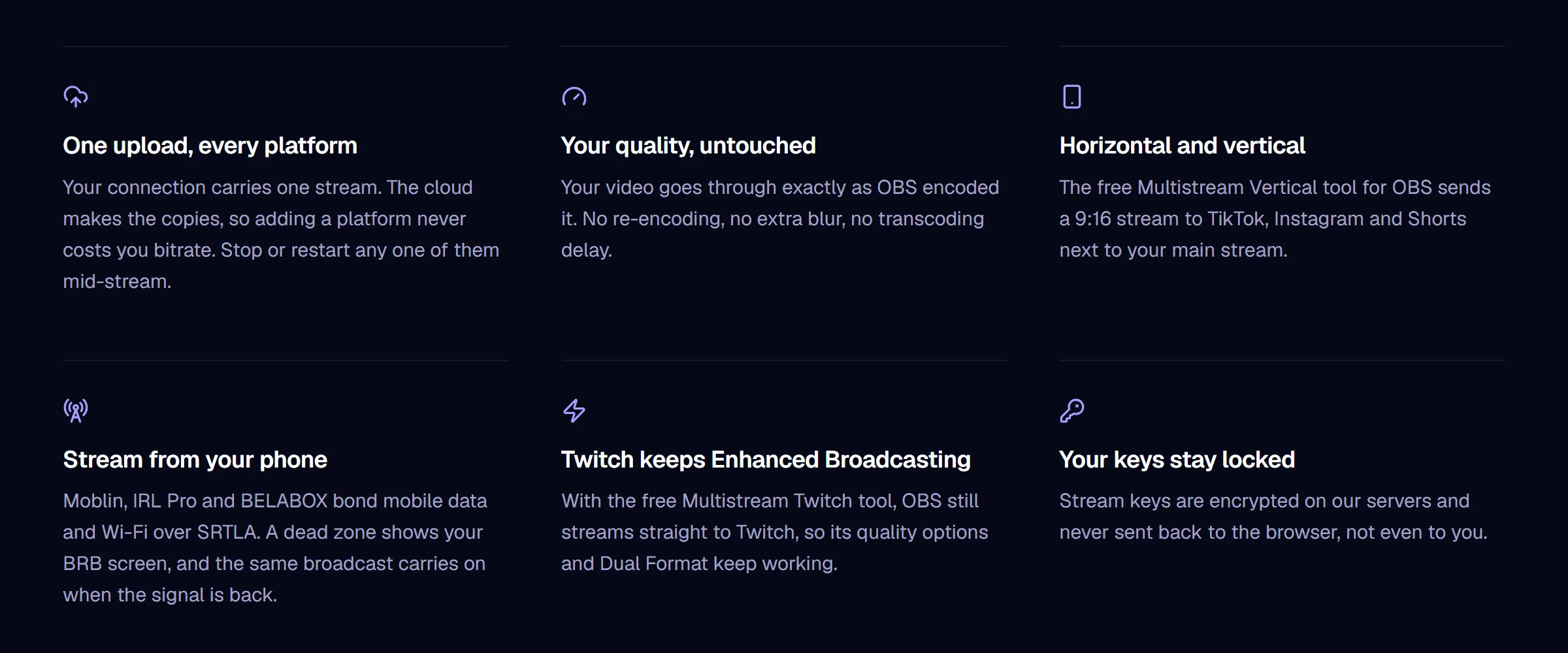
OBS sends one stream to the cloud, and the cloud makes a copy for each platform. Adding a platform never costs the streamer upload speed. The video goes through exactly as OBS encoded it: no re-encoding, so no extra blur and no extra delay.
- Gave up
- Converting the stream per platform. Every platform gets the same picture.
- Got
- The quality the streamer chose, everywhere, and a cloud cheap enough to sell for $10.
3. A dropped connection isn't the end of the stream.
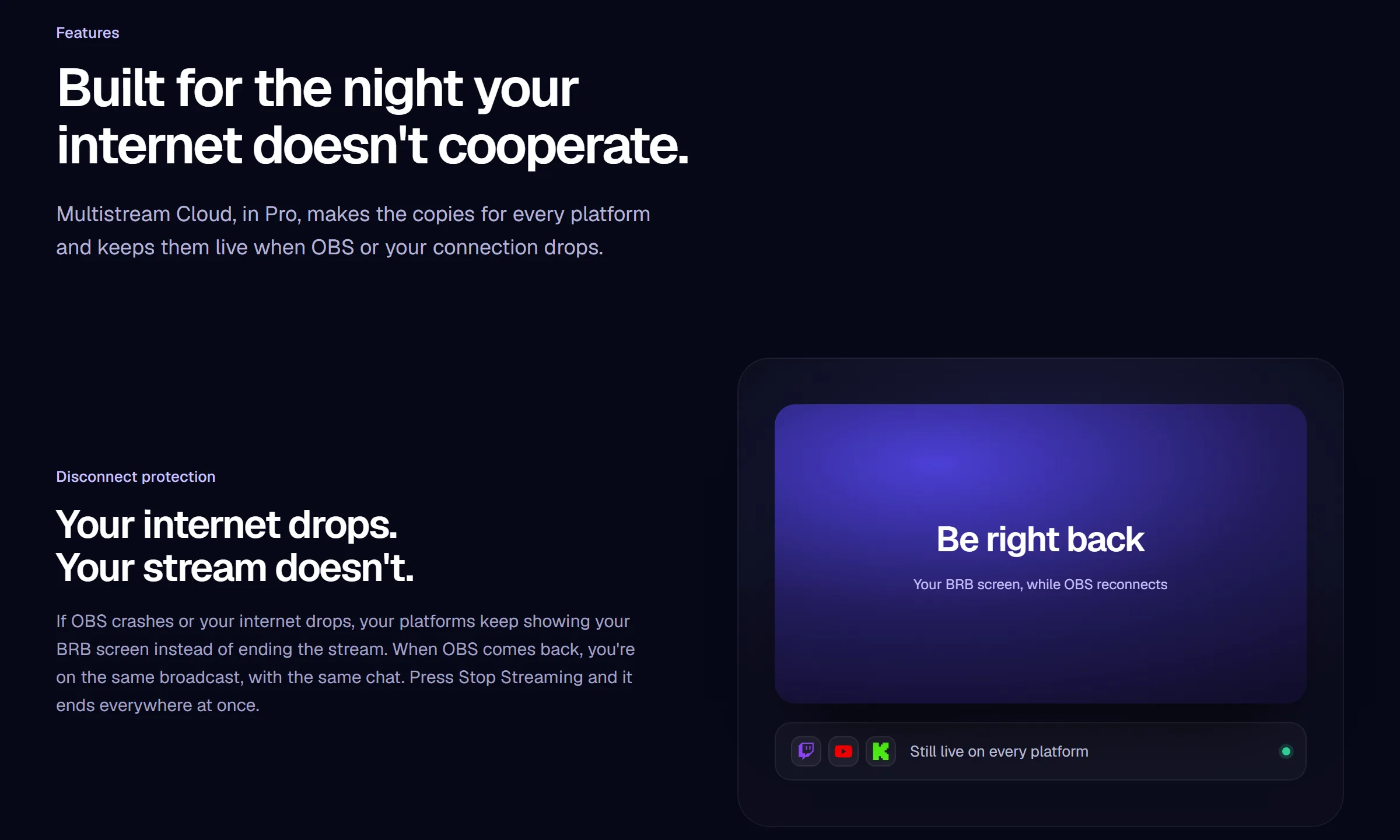
When OBS crashes or the internet drops, a platform normally ends the broadcast, and the chat and the viewers go with it. With Pro, the cloud keeps every platform live on the streamer's BRB screen for up to 30 minutes. When OBS comes back it is the same broadcast, with the same chat. Pressing Stop Streaming still ends it everywhere at once.
The same idea makes streaming from a phone work: Moblin, IRL Pro and BELABOX bond mobile data and Wi-Fi, and a dead zone shows the BRB screen instead of ending the stream.
- Gave up
- A simple relay. The cloud has to know the difference between a drop and an ending.
- Got
- The bad night everyone streaming at home has, survived without losing the audience.
4. Don't take away what the platform already gives.
Twitch's Enhanced Broadcasting gives viewers a choice of quality, and it only works when OBS streams to Twitch itself. Routing Twitch through the cloud would have quietly taken that away. So the free Multistream Twitch tool keeps OBS streaming straight to Twitch, and the cloud carries the rest. A second free tool sends a 9:16 stream to TikTok, Instagram and Shorts beside the main one.
- Gave up
- One path for everything. Twitch is a special case in the product and in the setup.
- Got
- Nobody loses a feature on their main platform by switching to Multistream.
5. Designed for someone on their first stream.
Many people who want to multistream have only just installed OBS. So setup is a guided, numbered flow, one short screen at a time with Back and Next, in plain words and with a picture of OBS where it helps. Advanced options come last. Checks show what needs fixing first and fold everything that passed into one line. No button fails silently: it works, says why it can't, or explains what it's waiting for.
- Gave up
- Density. Experienced streamers click Next more often than they would like.
- Got
- A first stream on every platform without a manual, or a support ticket.
05 / The system
Glass Pills.
Indigo glass for surfaces, one violet for the primary action, and pill-shaped controls throughout. Colour is reserved for meaning: rose for danger, pink for attention, and each platform's own colour and real logo wherever a platform is named. Everything else is a quiet glass pill.
I got there by redesigning the app against itself. Each direction had to break from the current look, not rearrange it, and the one that won set the language for the app, the site and Multistream Clips. The same tokens and components run through all three, so a streamer moving from the site to the app never feels they have changed products.
06 / The site
Honest comparisons, kept true by tests.
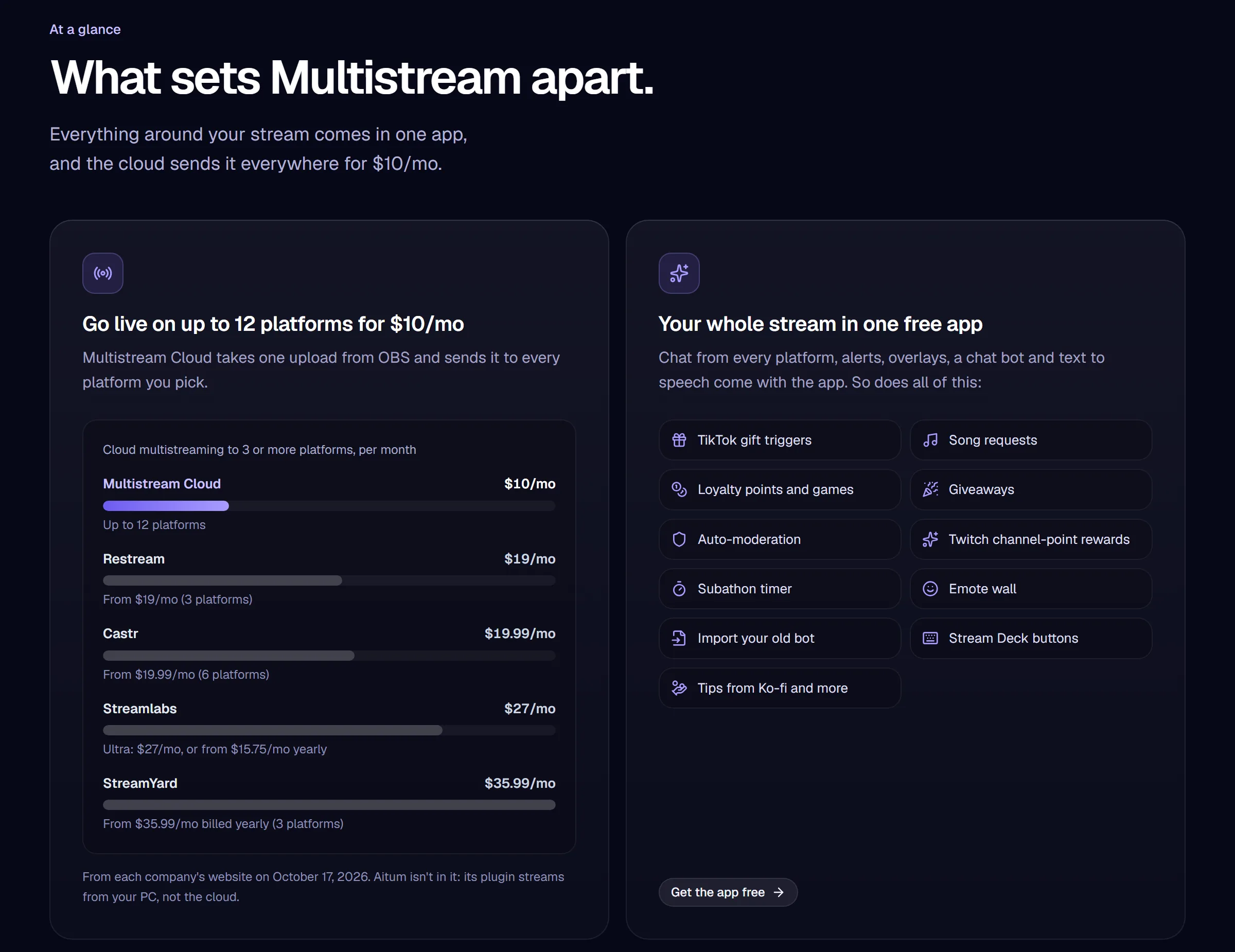
Streamers choosing a tool compare it to Restream and Streamlabs, so the site does that for them, on a compare page and a page per competitor. Each competitor's claim comes from their own website, with its source and the date it was checked. Each of Multistream's claims names the code it rests on, and a test fails the build if that feature or number changes. The page can only say what the product really does.
07 / Results
Against the three goals.
As it ships today:
Goal 1 · One place
Five chats, one windowTwitch, YouTube, Kick, TikTok and Instagram chat in one list, with alerts, overlays, a bot and text to speech beside it, free.Goal 2 · No extra cost
One upload, up to 20 platformsThe cloud makes the copies with no re-encoding. Twelve platforms for $10 a month, twenty on Max.Goal 3 · A beginner can do it
Three steps, then Go LiveA guided setup, and disconnect protection that keeps every platform live for up to 30 minutes when the connection drops.
It is live at multistream.gg, with the free app for Windows and Pro and Max plans.
What I'm measuring now.
- Download to first stream. The setup exists to make that step short.
- Free to Pro, and what people were streaming when they upgraded.
- Streams saved by disconnect protection: how often a platform stayed live through a drop.
What I'd take to a team.
The best product decisions here were about what not to charge for and what not to break. And building it alone taught me where design ends: at the line on the pricing table that says what happens at the limit, and the test that stops the site from claiming something the product no longer does.
*The pictures on this page are the live multistream.gg site, captured on October 19, 2026. The chat on the first screen is the site's own sample.