
An assistant answers. An agent acts.
An agent that acts in your life is a different design problem. It is on all day. It can read your screen and your mail, move your files and write in your name. Done badly it is annoying, then creepy, then dangerous.
I wanted one I could actually live with, so I built it for the only person whose life I'm allowed to test on.
I direct. Agents write the code.
I decide what the product is, how it behaves and where its lines are, and I direct AI coding agents closely. Most of the building is done by Hex itself: it writes and tests its own interface, and I correct what it shows me.
The repository's history starts on September 27, 2026, with about 350 commits in the first five days. Dozens of them open by quoting the correction of mine that caused them.
1. Every output needs a home, an action, a way back and a notice.
Early on, Hex sent me long reports in chat. Good work, useless delivery. I told it:
"there's no action on it, there's nowhere it on the dashboard, i don't hear a notification"
Its first fix was a length cap. Its second was one fixed delivery pipe. Both missed. I wanted the agent to keep choosing how to reach me, and to think about the person on the other end.
The cost: no single channel to learn. The gain: an agent that fits the moment.
2. A tiny list for today, a board for everything else.
One list of what needs me, written like notes from a person: a plain sentence, one line of why, one button. The command that adds an item refuses file names, ids and legal references. Those are the agent's workings, not a note to me.
When that list grew into a giant to-do, I split it. The Board keeps everything in calm lanes. People and plans are notes with no Done button, because a friend isn't a task. The agent's own work sits in a dimmer lane.
The cost: a second place to look. The gain: "needs you" stays small enough to trust.

3. Anything in my name waits for my tap.
Drafting is free. Sending is mine. Each draft appears as a familiar compose window that I can edit in place, with one button that names the recipient. If the draft changed after I read it, the send is refused.
The cost: it is slower than letting the agent send. This is the one place a mistake lands on someone else, so I pay the friction.

4. A window that shows one thing at a time.
The desktop widget started as the dashboard in a smaller room. Then it was stacked panels, which didn't work. Now it shows one thing: the agent at rest, the one item that needs me, or the conversation. Everything else is a chip.
Watching the agent's job list felt awkward, so its work moved off my list and onto an ambient canvas behind my desktop icons.
5. Pings that respect what I'm doing.
For a while I had to ask for every update:
"there's no ping, no badge to click on etc. things are treated statically right now"
The first version used system notifications, which a full-screen game hides. Now a pop and a short sound land inside Hex's own window, with a count on the orb and my phone as the fallback. One click opens the exact thing.
6. An off switch that doesn't need the agent to agree.
If I say "hands off", a small program on my own computer stops the part of Hex that can touch it. It runs on a timer, on my side, and does not depend on the agent complying.
Undo sits next to every change. When Hex rearranges my screen, a card says so, with one tap to put it back. Tidying files never deletes anything. There is also a short list it never does: sign in to a bank, pay for something, change a password.
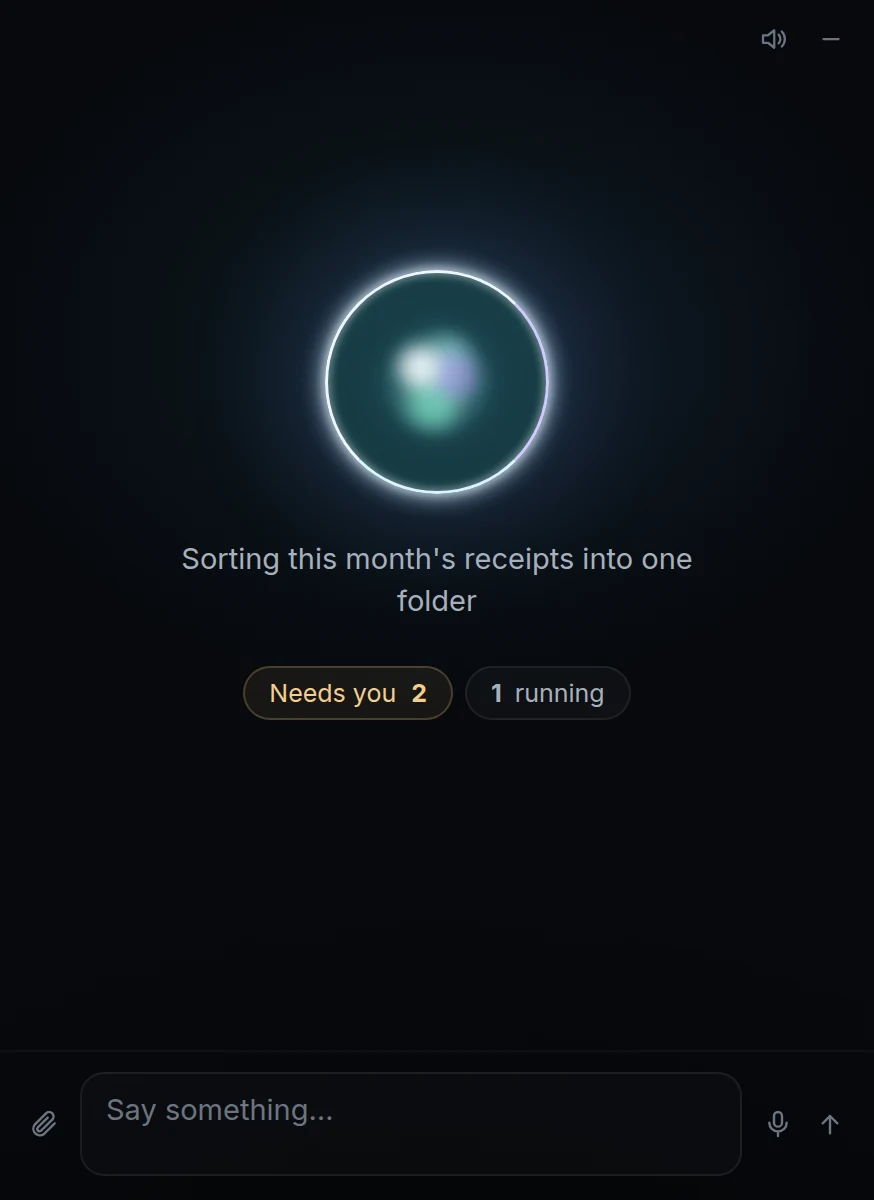
At rest. One line, two chips.
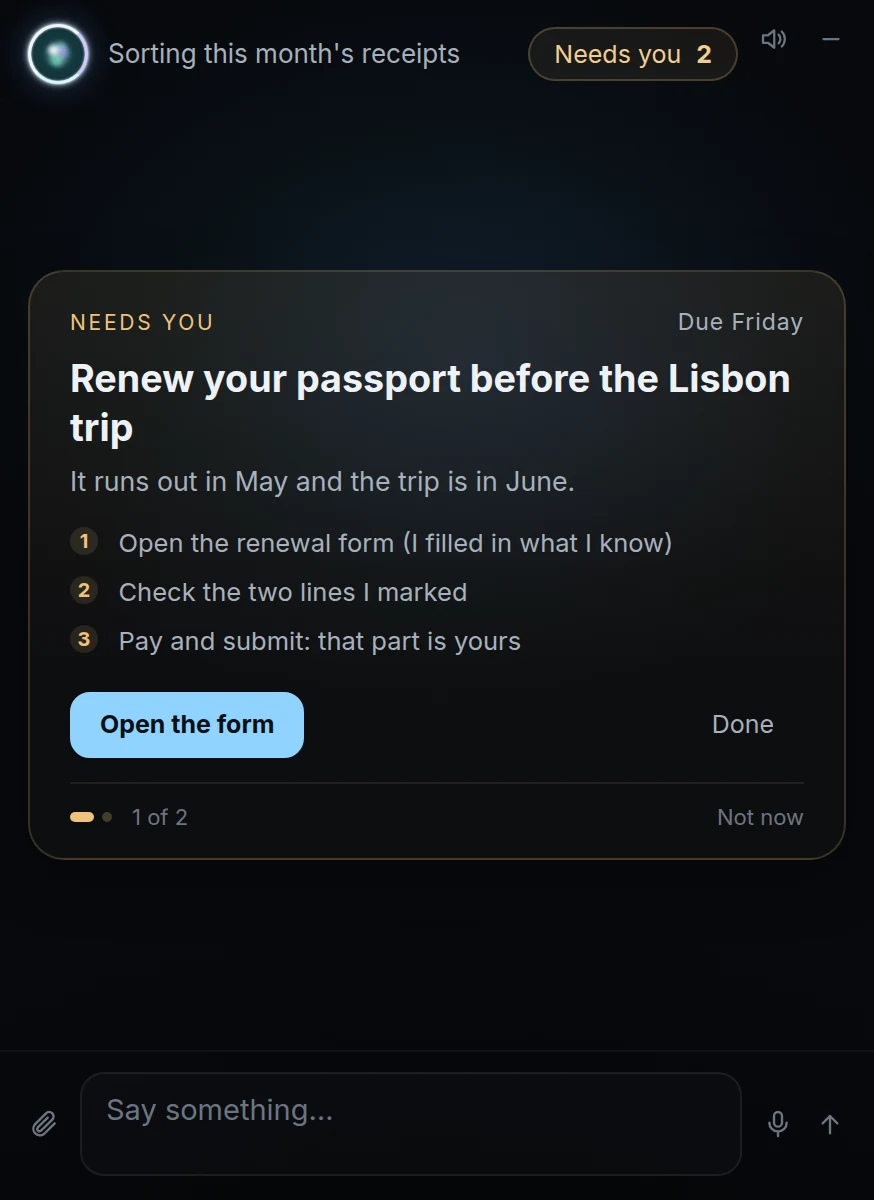
The one thing that needs me.
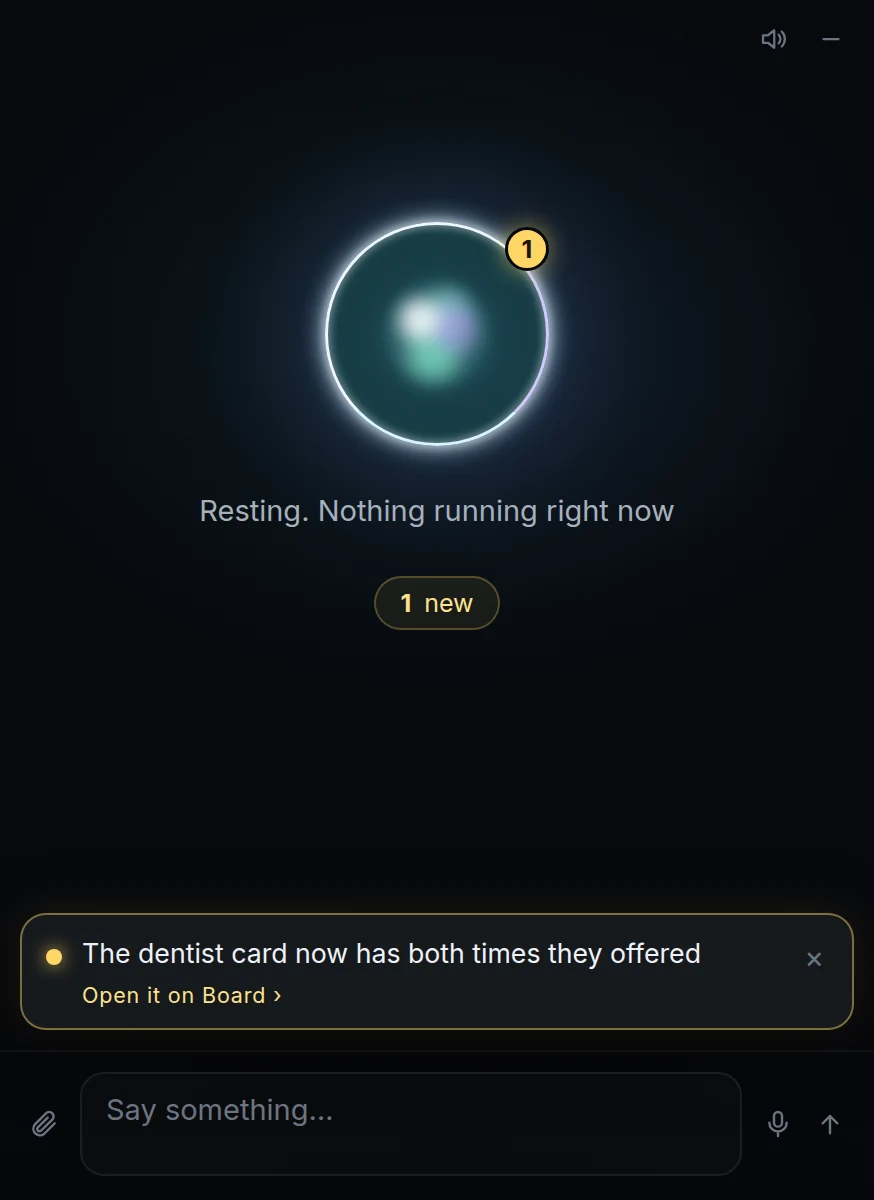
A ping, and a count that waits.
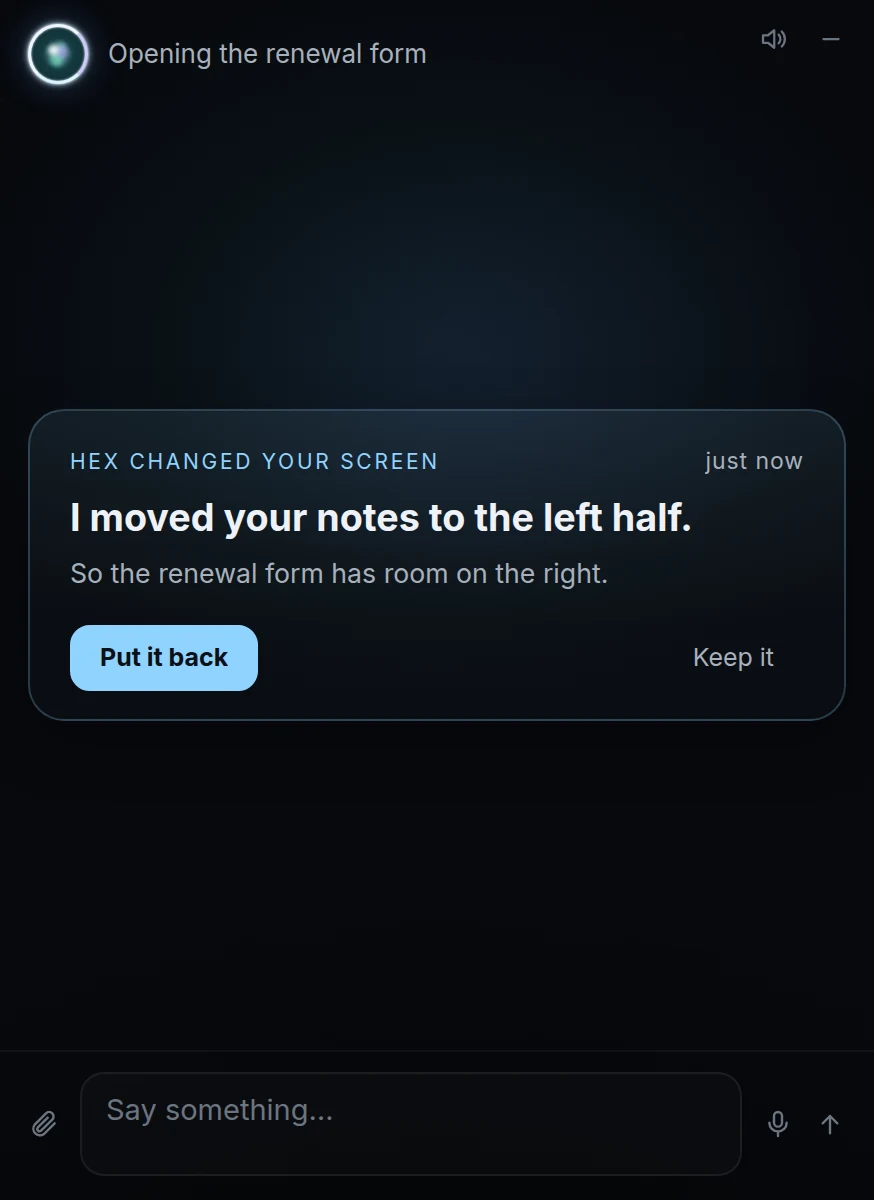
What it changed, and the way back.
Most of it, at first.
I was sent a widget with clipped rows after automated screenshots had "looked right". The rule became: look at what you built, at my real window size, before calling it done.
Hex kept answering each correction with a new hard rule, when what I wanted was judgment. The few lines above are the only ones I kept rigid.
Test messages once landed in my real chat. Test copies can no longer reach it.
Running every day, for one person.
This is a personal project with one user. It runs daily on a small server and my PC. I have no metrics to show. The phone side is still thin, and the newest surface, drawing on my desktop at will, is only days old.
It runs on Claude models through OpenClaw, an open-source agent runtime. The rest is Python, SQLite and plain HTML, CSS and JavaScript.
What I'd take to a team: the hard part of an agent isn't what it can do. It is where its output lives, what waits for a yes, and how you take something back.